Delivery & approvals
Content gets made faster, clients approve without email
Create AI posts for every client, plan them in the calendar and collect approvals with notes pinned to the graphic.
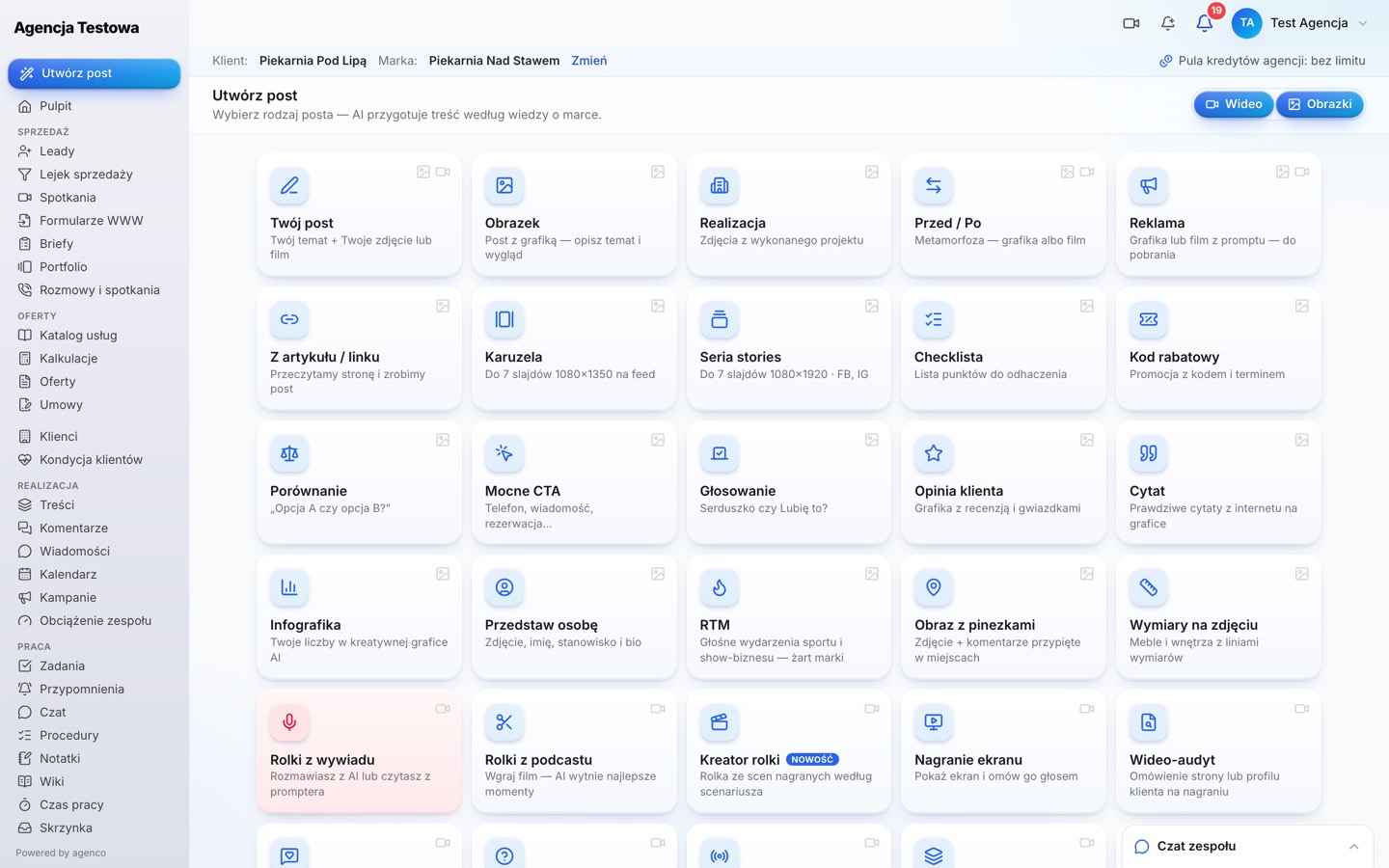
Create post
Every Socialu post type in your agency panel
The same creator as in Socialu: posts, carousels, graphics, reels, recordings and video formats — for every client brand, using the agency AI credit pool.
- Pick the client and brand, the creator does the rest
- Brand Brain: tone, guidelines, fonts and knowledge
- Content lands in “Content” and in the calendar
Approvals
Comments and pins on the graphic
Clients approve posts in their portal or via a no-login link. They mark a spot on the graphic, add a note and choose “Request changes” or “Approve”.
- “Approve all posts” for trusted clients
- Separate rights to comment and to edit copy
- Email notifications for the client and the team
- 1Helen: Could the logo be a bit bigger?
- 2Helen: Let's change the time to 7 am.
Comments and Messages
One inbox for every profile
Comments and messages from all platforms of all clients in one view, with filters and assignees.
- The AI agent suggests replies based on brand knowledge
- Per-brand mode: suggestions only, or automatic replies and moderation
- Clients can forward a comment to the agency from their portal
Are you open on Sundays too?
Hi! On Sundays we are open 8 am to 1 pm. See you at the counter 🙂
Brand strategy
Strategy versions with client approval.
Ad campaigns
Creatives with approval, budgets and results.
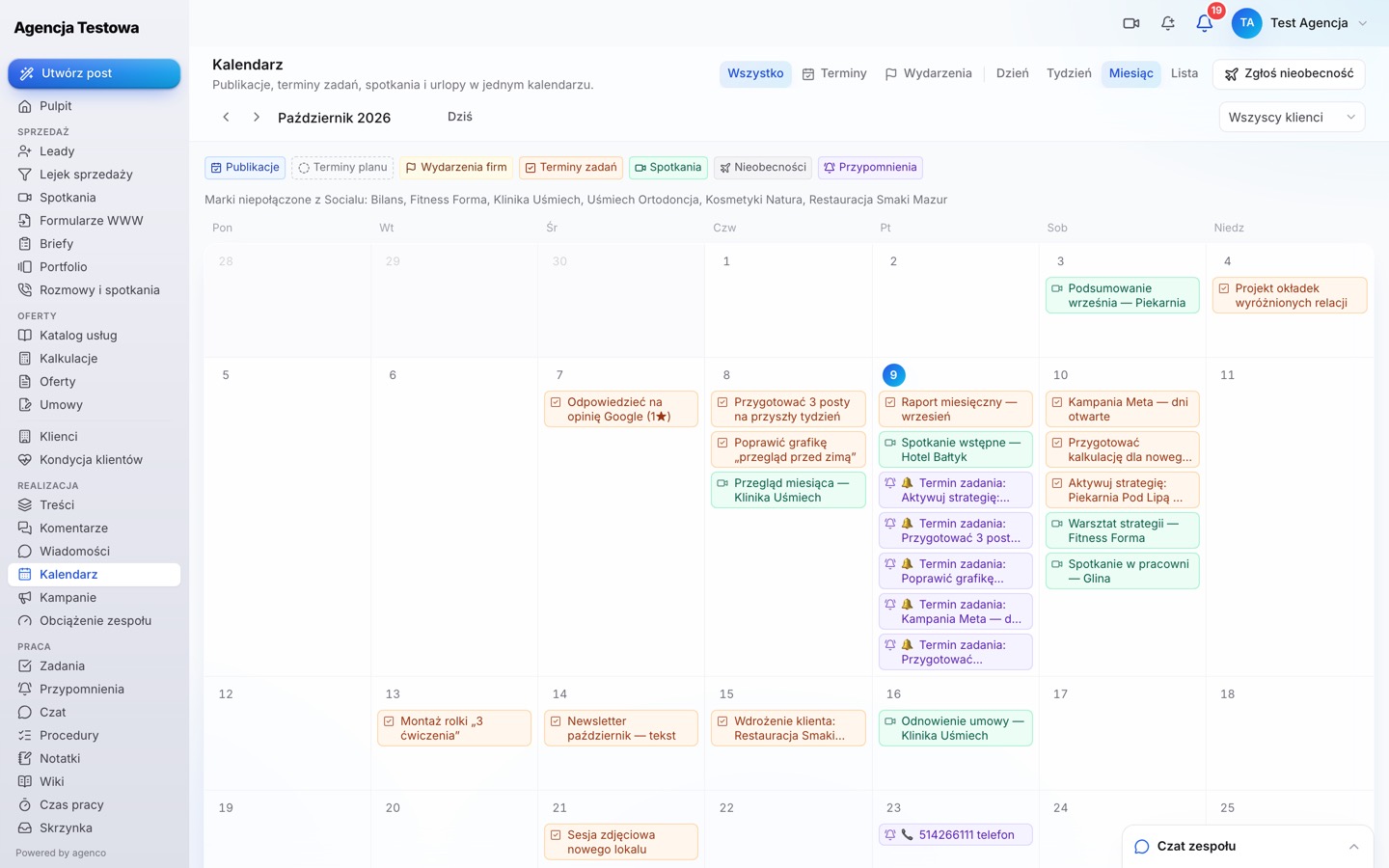
Shared calendar
Publications, tasks, meetings and time off.
Stock photos and Canva
Inside the post creator, from Socialu.
Questions about this module
Does the client need an account to approve a post?
No. Send a no-login approval link — in your agency colours.
Will AI reply to a comment without my consent?
Only if you enable automatic mode for that brand. By default AI only suggests a reply.
Run your agency from one place
Create your agency account, add your first client and invite your team. No-commitment trial.